
Upgrade All: how one button left my VCF 9.1.1 lab deadlocked for two weeks
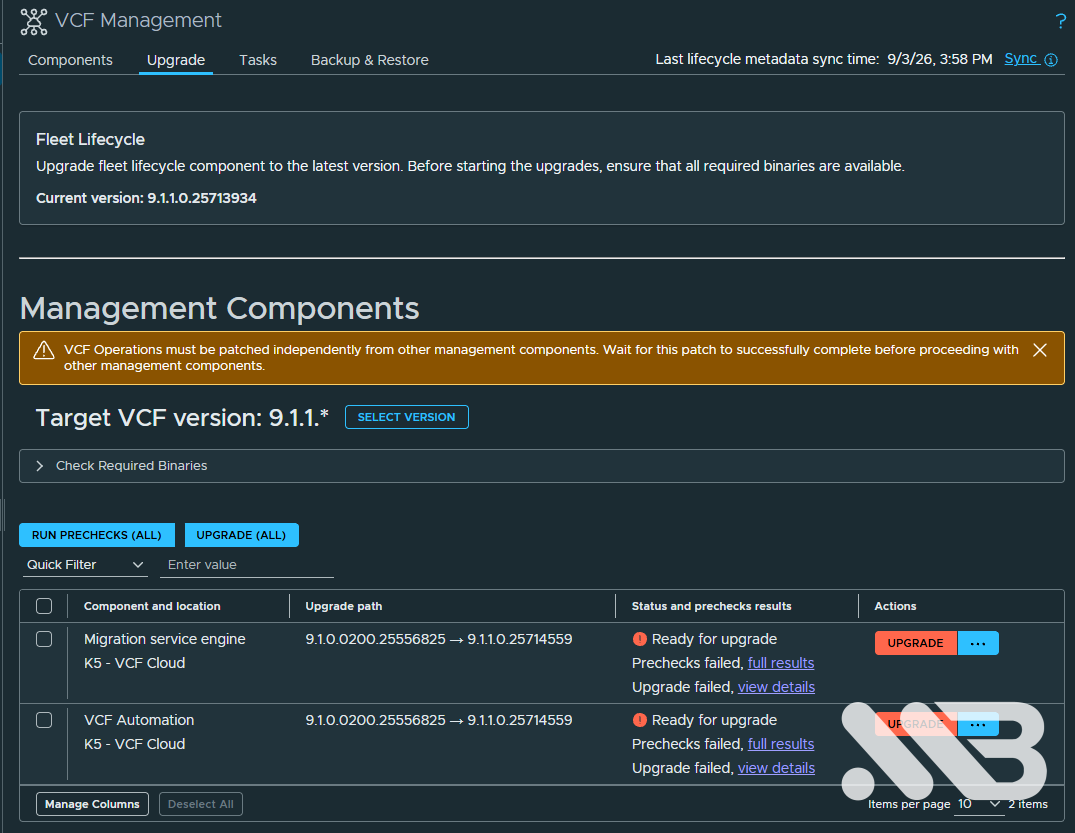
On September 3rd I upgraded my lab’s management components from VCF 9.1 to 9.1.1. In the Fleet Lifecycle UI there is a button labelled Upgrade All, and I used it, because I assumed it would run the components in the order the release notes prescribe.
It does not. And assuming it did was, in hindsight, fairly careless of me — the release notes spell out the dependencies in plain prose, I had them open at some point, and I still let a button decide the sequence for me. That assumption cost me two weeks and two separate deadlocks.
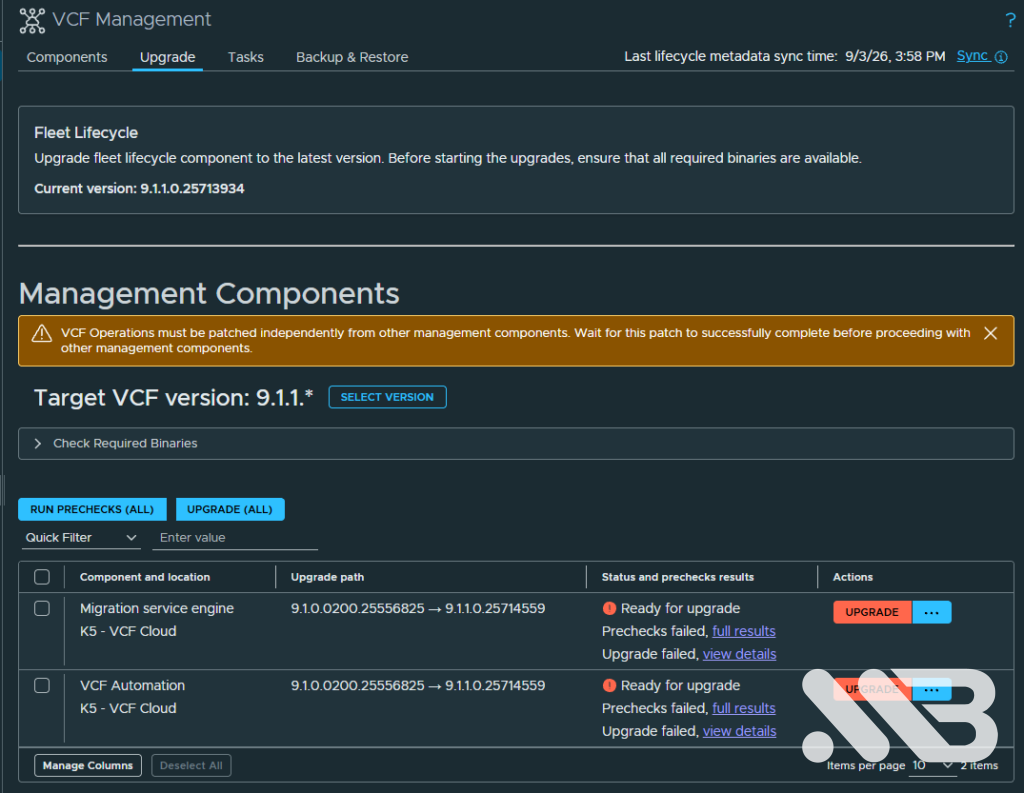
Two components failed that day: VCF Automation and the Migration Service Engine. Both ended up on “Ready for upgrade, prechecks failed, upgrade failed”, and there they sat.
TL;DR
| Point | What I learned |
|---|---|
| Upgrade All Button does not respect dependencies | It starts components in parallel. Where one depends on another, that breaks things |
| The order that matters here | VCF Automation before Migration Service Engine — stated verbatim in the release notes |
| A half-finished upgrade is not “mostly working” | I assumed I could keep using VCFA. I could not. It was blocked, just not visibly |
| Status fields lie | Services reported Healthy while holding empty value sets and blocked deployments |
| The symptom sat four layers above the cause | Three patches at three layers, all silently reverted |
| Don’t leave backups on the appliance | The upgrade replaces the VM. /root is empty afterwards |
The causal chain
Sep 3    "Upgrade All" in Fleet Lifecycle
           |
           +-- Migration Service Engine starts BEFORE VCF Automation
           |     +-- Helm upgrade vcd-migrator 9.1.0.0200 -> 9.1.1
           |           +-- PostgresInstance to move from v14 to v17
           |                 +-- Webhook vpostgresinstance.kb.io denies it
           |                       (old platform only permits v13-v15)
           |                       +-- Flux: rollback -> retry -> ...
           |                             ENDLESS LOOP (13 days)
           |                             +-- PackageDeployment stuck "Progressing"
           |                                   +-- Backup precheck times out
           |                                         +-- VCFA upgrade impossible
           |                                               +-- Platform stays old
           |                                                     +-- Webhook stays old
           |
           +-- VCF Automation upgrade fails as well

Sep 4    DSM shows up as unhealthy -> I start an uninstall
           +-- 3 ConfigurationHandlers block one another
                 +-- Service Manager reconcile blocked

Sep 16   I try to install ArgoCD and nothing works
           +-- and only now do I start looking properly
Why I only noticed two weeks later
Here is the part I find most instructive in hindsight.
After the failed upgrade I carried on using the lab. VCF Automation was up, the UI responded,
services were listed as Healthy. My working assumption was that an unfinished upgrade leaves
you on the old version, which is inconvenient but harmless. You finish it later.
That assumption was wrong. The environment was not on the old version and fine. It was blocked — with a reconcile loop running in the background that made every subsequent upgrade attempt impossible. Nothing in the UI told me that.
What eventually made me look properly was ArgoCD. I wanted to install the ArgoCD Supervisor Service, and it threw a signature verification warning:
Connectivity to image depot.kube-system.svc/vcf/vcf-service-argocd/ga/1.2.0/
argocd-service:v1.2.0_vmware.1 cannot be verified: Get "https://depot.kube-system.svc/v2/":
dial tcp: lookup depot.kube-system.svc on 127.0.0.53:53: no such host
depot.kube-system.svc is the Supervisor’s internal software depot, and it only exists once
a Regional Harbor registry has been deployed through VCF Automation. So: deploy Harbor. Except
Harbor wouldn’t deploy either, and that is when I finally stopped assuming and started digging.
Harbor says Healthy, Harbor does nothing
Harbor was listed as installed and Healthy, but the Regions field was empty, the wizard
showed no Service Properties, and Submit produced no task at all. I ran it several times
convinced I was misclicking something.
The YAML view gave the whole story in one line:
regions: []
My region was selected. The checkbox was ticked. The resulting spec was empty anyway.
VCF Automation’s UI is an Angular SPA, and its API responses carry far more than the interface shows. This snippet in the browser console captures the relevant traffic:
window.__cap = [];
const OO = XMLHttpRequest.prototype.open, OS = XMLHttpRequest.prototype.send;
XMLHttpRequest.prototype.open = function(m,u){ this.__m=m; this.__u=u; return OO.apply(this,arguments); };
XMLHttpRequest.prototype.send = function(b){
  if (this.__u && /service-manager/.test(this.__u)) {
    this.__b = b;
    this.addEventListener('load', () => {
      window.__cap.push({ m:this.__m, u:this.__u, st:this.status,
                          req:String(this.__b||''), res:String(this.responseText||'') });
    });
  }
  return OS.apply(this, arguments);
};
Step through the wizard, then read window.__cap. I can recommend this for any VCFA problem
where the UI stays quiet.
The interesting call is POST .../render-effective-values. The request carried my selection
correctly:
#@ allowed_supervisors = { "k5re": "*" }
The response did not:
{"data":"regions: []\n"}
The request payload also contains the package’s ytt overlay, base64 encoded. Decoding it explained everything:
#@ def get_inventory_regions():
#@   filtered_supervisors = filter_supervisors_by_version(region["supervisors"], 9, 1)
#@   #@ Only include regions that have at least one valid supervisor
#@   if len(filtered_supervisors) > 0:
The Harbor package requires Supervisor 9.1 or higher. If no supervisor in a region qualifies, the region is dropped silently. No message, no warning, nothing in the logs I had checked.
Mine was on 9.0.2.0:
v1.32.9+vmware.2-fips-vsc9.0.2.0-25129014
                        ^^^^^^^
Takeaway: if a REGIONAL service shows Regions: –, the region failed a filter. It does not
mean your selection wasn’t submitted.
Deadlock one: three handlers fighting over one slot
While looking at the service list I noticed VMware Data Services Manager still sitting in
Uninstalling — since September 4th. I remembered that one. It had shown up as unhealthy, I
had started an uninstall, it never finished, and I had filed it under “look at it later”.
Later had arrived.
data-services.broadcom.com | 9.1.1.0.25651575 | inactive | Busy | Uninstalling
"errorDetails": [{
  "type": "InstallTask",
  "severity": "ERROR",
  "message": "1 Installation error(s); Details: [3 CR reported error(s)]"
}]
Three CRs reporting errors, and no running task anywhere in VCF Operations. The uninstall task
was long gone, only the service entry was still on Busy.
The three turned out to be ConfigurationHandlers in the prelude namespace:
| CR | Handler |
|---|---|
21b92e70-4288-51b8-88cc-86f2588216a0 | self-managed-base-handler |
65c5aa19-a3c7-5050-a08c-911a3326792f | vcfa-info-handler |
6e4f52c9-5de5-525e-9989-54217db25cde | vcf-managed-base-handler |
All Unhealthy, each complaining about one of the others:
ConfigurationHandler '65c5aa19-...' already exists for service ID '73e5e9e3-...'.
Only one ConfigurationHandler per service is allowed
All three shared an identical creationTimestamp, so the package created three handlers at
once into a platform that permits exactly one. That is a packaging bug, not an operator error.
Back up first:
mkdir -p /root/ch-backup && cd /root/ch-backup
kubectl -n prelude get configurationhandlers.services.vcfa.broadcom.com -o yaml \
  > all-configurationhandlers-$(date +%F).yaml
Then delete two of the three:
kubectl -n prelude delete configurationhandlers.services.vcfa.broadcom.com \
  21b92e70-4288-51b8-88cc-86f2588216a0 \
  65c5aa19-a3c7-5050-a08c-911a3326792f \
  --timeout=90s
All three carry a finalizer, so I expected this to hang. It didn’t, which told me the controller was alive. If yours does hang:
kubectl -n prelude patch configurationhandlers.services.vcfa.broadcom.com <name> \
  --type=merge -p '{"metadata":{"finalizers":null}}'
The remaining handler stayed Unhealthy afterwards, still referencing an object I had just
deleted. Stale status, fixed with a reconcile trigger:
kubectl -n prelude annotate configurationhandlers.services.vcfa.broadcom.com \
  6e4f52c9-5de5-525e-9989-54217db25cde reconcile.trigger="$(date +%s)" --overwrite
All three went Healthy, the DSM uninstall completed within minutes, and Harbor promptly
dropped from Healthy to Not Installed — considerably more honest.
One deadlock down. I thought I was nearly there.
Deadlock two: the carousel
To get Harbor I needed Supervisor 9.1. For that I needed VCF Automation on 9.1.1. And VCF Automation refused:
Backup precheck failed. Timed out waiting for in-progress package deployments
to complete: vcd-migrator.
[com.vmware.vcfms.system.precheck.backup.PackageDeploymentsCompleteWaitTimeout]
That precheck is not a preliminary step you can skip. It is a subtask inside the upgrade workflow, and the component’s “…” menu offers nothing but Run Prechecks.
kubectl get packagedeployments.releases.vmsp.vmware.com -A
prelude         vcfa-bundle     Successful
vcd-migrator    vcd-migrator    Progressing   package deployment is in progress
vmsp-platform   vmsp-platform   Successful
My first guess was a stale status, same as before. Turns out to be wrong:
kubectl get packagedeployments.releases.vmsp.vmware.com vcd-migrator -n vcd-migrator \
  -o jsonpath='gen={.metadata.generation} observed={.status.observedGeneration}{"\n"}'
gen=4 observed=4. The controller was current and working. The pods were healthy and had been
running for days. Something was genuinely in progress and never finishing.
Then the Helm release made me look twice:
vcd-migrator REVISION 19905 deployed vcd-migrator-9.1.0-0200-25556825
Nineteen thousand nine hundred and five, on a namespace 22 days old. Roughly 1,200 deployments a day, one every seventy seconds, for two weeks. Not a stuck deployment — a carousel.
The helm-controller log shows one full lap:
HelmChart ... is in-sync
release out-of-sync with desired state: release chart changed
running 'upgrade' action with timeout of 30m0s
release is in a failed state
running 'rollback' action with timeout of 30m0s
error: failed to wait for object to sync in-cache after patching: context deadline exceeded
-> repeat
And the reason it fails:
Helm upgrade failed for release vcd-migrator/vcd-migrator with chart
vcd-migrator@9.1.1-0-25714559: cannot patch "vcd-migrator-postgres" with kind
PostgresInstance: admission webhook "vpostgresinstance.kb.io" denied the request:
postgres versions below 13 and above 15 are not supported
The 9.1.1 chart wants PostgreSQL 17. I was on 14. The admission webhook from the old platform allows 13 through 15, because that is what this platform generation supports.
So the migrator needs the new platform. The platform arrives with the VCFA upgrade. The VCFA upgrade is blocked by the migrator. I stared at that for a while.
What did not work
Three attempts to stop the loop, all reverted within seconds by the vmsp-operator. I’m
listing them because they are exactly what anyone would try first:
# Suspend the HelmRelease. Standard Flux move.
kubectl patch helmrelease vcd-migrator -n vcd-migrator \
  --type=merge -p '{"spec":{"suspend":true}}'

# Suspend the PackageDeployment. There is a purpose-built field for it.
kubectl patch packagedeployments.releases.vmsp.vmware.com vcd-migrator -n vcd-migrator \
  --type=merge -p '{"spec":{"suspend":{"enable":true,"cascade":true}}}'

# Reset the target version so there is nothing to upgrade to.
kubectl patch packagedeployments.releases.vmsp.vmware.com vcd-migrator -n vcd-migrator \
  --type=merge -p '{"spec":{"packages":[{"name":"vcd-migrator","version":"9.1.0.0200.25556825"}]}}'
The PackageDeployment controller also kept resetting the Helm retry counter:
"message":"overriding HelmRelease upgrade retries for all namespaces","retries":10
Flux was never going to give up, because something kept telling it not to. I had spent an evening treating the symptom.
Finding the source
The next day I went looking for whoever was doing the overwriting:
kubectl logs -n vmsp-platform deploy/vmsp-operator --tail=300 | grep -i migrator
Every line carried the same object:
"bundle": {"name":"vcd-migrator-9.1.1.0.25714559","namespace":"vcd-migrator"}
A Bundle. That was the layer I hadn’t looked at. The control hierarchy in VCFA runs like this, and everything I had patched sat in the bottom half:
Bundle -> PackageDeployment -> HelmRelease (Flux) -> Helm release
kubectl get bundles.bundle.vmsp.vmware.com -A
prelude         vcfa-bundle-9.1.0.0200.25556825    Successful
prelude         vcfa-bundle-9.1.1.0.25714559       Pushed
vcd-migrator    vcd-migrator-9.1.0.0200.25556825   Pushed
vcd-migrator    vcd-migrator-9.1.1.0.25714559      Pushed     <- this one
vmsp-platform   vmsp-platform-9.1.1.0.25714471     Pushed
Before deleting anything, check whether something owns it and would recreate it:
kubectl get bundles.bundle.vmsp.vmware.com vcd-migrator-9.1.1.0.25714559 \
  -n vcd-migrator -o yaml | sed -n '/^metadata:/,/^spec:/p'
metadata:
  creationTimestamp: "2026-09-04T15:20:45Z"
  finalizers:
  - bundle.vmsp.vmware.com/finalizer
  # no ownerReferences
No ownerReferences. Nothing brings it back on its own.
The fix
# 1. back up, and scp it off the appliance (see Learnings)
mkdir -p /root/bundle-backup && cd /root/bundle-backup
kubectl get bundles.bundle.vmsp.vmware.com vcd-migrator-9.1.1.0.25714559 \
  -n vcd-migrator -o yaml > bundle-vcd-migrator-9.1.1.yaml

# 2. delete the 9.1.1 bundle only. The 9.1.0.0200 one has to stay.
kubectl delete bundles.bundle.vmsp.vmware.com vcd-migrator-9.1.1.0.25714559 \
  -n vcd-migrator --timeout=120s

# 3. now reset the target version. Same patch as the night before.
kubectl patch packagedeployments.releases.vmsp.vmware.com vcd-migrator -n vcd-migrator \
  --type=merge -p '{"spec":{"packages":[{"name":"vcd-migrator","version":"9.1.0.0200.25556825"}]}}'
Two minutes later:
9.1.0.0200.25556825
vcd-migrator   Successful   successful package deployment
The version stuck. The revision counter stopped. After thirteen days and something north of 19,000 revisions, the carousel stood still.
Order matters here. Deleting the bundle alone is not enough, the PackageDeployment keeps its 9.1.1 target. Patching alone is not enough either, the operator rewrites it from the bundle. You need both, bundle first.
The upgrade itself
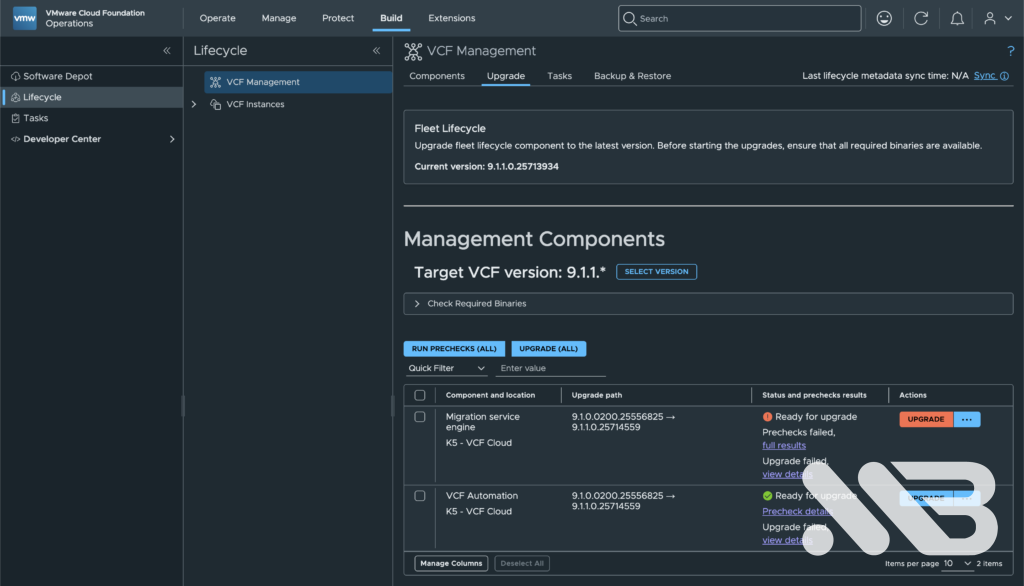
The precheck passed on the first attempt. Then I clicked Upgrade on ‘one’ component – VCF Automation.
It ran for about six and a half hours across thirteen subtasks. A few things worth knowing:
The appliance VM gets replaced. My hostname went from ...-r8hpx to ...-l5z2s, and SSH
greeted me with a host key warning:
ssh-keygen -R vcf-automation-vip.mb.lab
One subtask logged Deploying VCF Component. Status: Failed mid-run — as Info, not Error,
and the workflow carried on. Helm retries are set to 10 here. Do not intervene, however
tempting.
For watching progress from the appliance:
kubectl get machines -A
kubectl get nodes
kubectl get packagedeployments.releases.vmsp.vmware.com -A

helm list -n prelude -a -o json | python3 -c "
import json,sys
from collections import Counter
d=json.load(sys.stdin)
print(Counter(r['status'] for r in d))
print('updated today:', sum(1 for r in d if r['updated'].startswith('$(date +%F)')), 'of', len(d))
"
Use -a. Without it, helm list only shows deployed releases, and during the upgrade they
pass through pending-upgrade and vanish. My counter climbed to 47, dropped to 28, and I
briefly assumed something was rolling back. Nothing was.
End result:
vcd-migrator   9.1.0.0200.25556825   Running     <- deliberately held back
vcfa           9.1.1.0.25714559      Running
vsp            9.1.1.0.25714471      Running
Learnings
Don’t use Upgrade All. The whole article in one line. The button starts components in parallel, and where one depends on another, that breaks. There is also a known issue where concurrent starts cause upgrade plans to interfere, leaving a component on “Ready for upgrade” with matching builds on both sides and no customer-side way to correct it.
Read the dependencies in the release notes, not in blog posts. Mine included. The 9.1.1 release notes don’t give a numbered sequence, they give rules:
| # | Rule |
|---|---|
| 1 | Fleet Lifecycle to 9.1.1 before any other VCF component |
| 2 | VCF Operations must not be patched in parallel with others |
| 3 | VCF Operations and license servers before ESX patches |
| 4 | Management Services Runtime before Identity Broker |
| 5 | Management Services Runtime before Salt RaaS |
| 6 | VCF Automation before Migration Service Engine |
| 7 | Software Depot blocks other patches while it runs |
Rule 6 is the one I broke. And you’ll find a simplified chain circulating on various blogs that includes “SDDC Lifecycle” as a step — it isn’t in the release notes. I had it in my own notes until I went back and checked.
A failed upgrade is not a harmless pause. This was my most expensive assumption. I kept using the environment for two weeks, and it looked fine from the outside while a reconcile loop made every further upgrade impossible. Clean up failed upgrades promptly, even if nothing appears broken.
Status fields lie. Harbor said Healthy with an empty value set. DSM said Healthy at
service level with three deadlocked CRs. The migrator’s Helm release said deployed while
being redeployed every seventy seconds. Look at status.conditions, observedGeneration and
actual timestamps instead.
Watch revision numbers. A four-digit Helm revision after three weeks is a red flag you can spot at a glance.
Find the source, don’t sedate the symptom. Three patches at three layers, all reverted, because the controlling layer was above all of them. I should have gone to the operator logs an hour earlier.
Webhooks exist for a reason. I was briefly tempted to exclude the namespace from the Postgres validating webhook to force the upgrade through. Good thing I checked what the chart actually wanted first: Postgres 17, on a platform whose operator tops out at 15. That would have moved the failure one layer down and possibly taken the database with it.
Don’t leave backups on the appliance. I dutifully backed up the bundle YAML to /root/bundle-backup before deleting it. The upgrade then replaced the entire VM. You can guess the rest.
But finally
Next steps
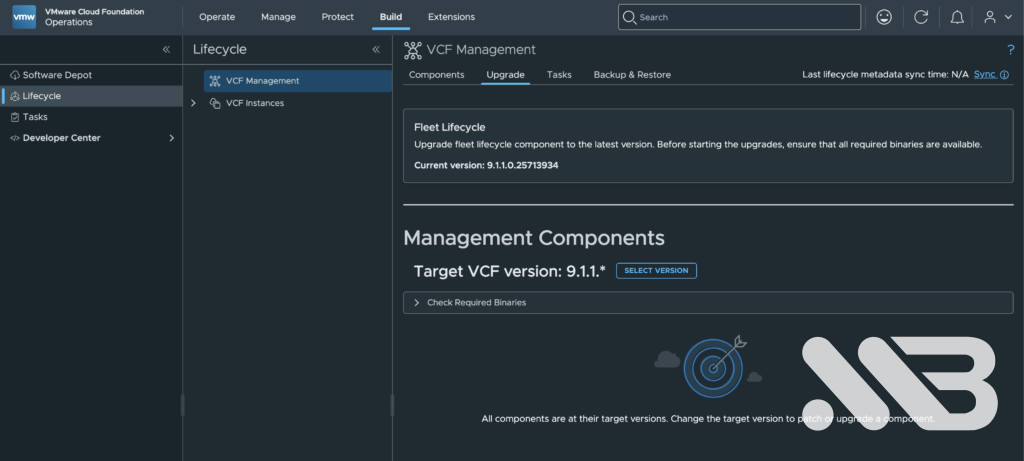
Not done yet. The Supervisor is still on 9.0.2.0 and won’t upgrade, because VKS 3.4.1-embedded blocks the precheck and the newer VKS is embedded in the Supervisor OVA I don’t have yet. A proper chicken and egg. The way out appears to be registering a VKS version manually from the support portal rather than using the embedded one, and that is next on my list.
After that, Harbor, and then finally ArgoCD — which is where this whole thing started.
If you’ve hit the same problem, or found a better way around the VKS situation, I’d be glad to hear about it in the comments. And if you’re about to patch your own management components: one at a time, wait for Completed, verify the version. It costs you an afternoon and saves you a fortnight.

No responses yet